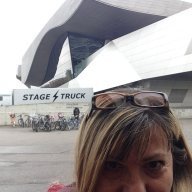
November 14, 201510 yr Hi everyone! My name's Lucia, I'm living near Florence in Italy and I love Coldplay since 2001 (Parachutes). My first concert was in Turin on May 2012 and the second was special and magic (Munich BMW Welt on December 2014). Oh I hope to be able to have tix for London now. Enjoy!
November 15, 201510 yr Author To thank you all for welcome I'm posting a special video for me... special because I made it in opposite to have a video with them :D Oh envy for those who have a photo with them, for my heart this video is great :P and then, if you like, you can see my video in Munich. [video=youtube;Swf1AQb25Ng] PS - I'm 55 years old and I do my best, but images and sound are not excellent :D
November 16, 201510 yr My dad is from Torino [emoji16] (and I'm generally Italian) welcome to the site!
November 16, 201510 yr Author My dad is from Torino [emoji16] (and I'm generally Italian) welcome to the site! :) Thank you !
November 17, 201510 yr Olá! Hello! I am Paulo Sérgio de Portugal. The music of Coldplay for me is like a ray of sunshine in winter interminávl.
November 21, 201510 yr Author Hello i am Marco, i am from Lucca [emoji16] Welcome to you!! Ciao Marco!



Create an account or sign in to comment