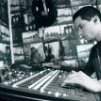
May 26, 20206 yr I've been doing some research and we might be able to recreate the sound by copying the settings on the CS-80 Coldplay used. Of course all the help is essencial for this task. I ve found some footage of the CS-80 thats inside The Bakery. With some dedication we might be able to get the sound. EDIT: If we are lucky and they didn't change it since the X&Y Edited May 26, 20206 yr by fuzzyman20
May 26, 20206 yr Author 1 hour ago, aaronm360 said: There is also a photo of Chris playing the CS-80 in the X&Y album booklet. On those pics he is playing the settings might be correct ones.... the only problem is resolution
August 9, 20206 yr Author Heres the result of the recording I made using the CS-80 and the Korg Triton . Sorry for the waiting, I've been very busy lately White shadows ending.mp3 Edited August 9, 20206 yr by fuzzyman20
August 9, 20206 yr 36 minutes ago, fuzzyman20 said: Heres the result of the recording I made using the CS-80 and the Korg Triton . Sorry for the waiting, I've been very busy lately White shadows ending.mp3 1.44 MB · 3 downloads MAGNIFICENT! Gave me goosebumps :O
August 24, 20233 yr On 6/1/2020 at 1:48 AM, fuzzyman20 said: I finally cracked it can upload a photo?
August 24, 20233 yr Hi. I try to recreate the pad sound from speed of sound song using Arturia s CS80 V4. Can anyone help me? Please. I will share it if i will get the correct sound. I attached the original sample extracted from instrumental. Thanks alot. Coldplay Speed Of Sound Instrumental Official (320 kbps) - other.flac



Create an account or sign in to comment