The Jordanator
Members
-
Joined
-
Last visited
Everything posted by The Jordanator
-
I thought editing was ok, I could at least keep up with it myself. There may have been one too many rapid shots for my liking, but I think Whitecross is trying to add to the carnivalic excitement of the opening hit. The Live in Buenos Airies version crowd noise kinda drowns moments out a little, but I love how the song ends with the intro to Yellow.
-
I’m not sure if I fully like Voodoo...I don’t get the supposed MX feels. I think Timbuktu and Rise Up are better....
-
Despite some hateful comments (looking at you @arushofjacktothehead), I can see why the Coldplay name has been distanced from this EP. Los Unidades on this EP sounds like a dancepop party! Jonny Buckland still plays delicious guitar licks whichever band he’s in. Timbuktu’s guitar sounds VERY much like AOAL strum. Beautiful plinking in Voodoo too. E-Lo is probably my faveourite though. Although I think the Mandela rhythm and vibes track is actually pretty cool! Will E-Lo or Voodoo be hitting radio stations?
-
FULL EP NOW ON SPOTIFY!!!!
-
Me too! Mylo Xyloto is probably my favourite Coldplay album and according to iTunes Voodoo will have the MX ‘feels’. I am pumped!
-
Do remember to that Los Unidades is a different band to Coldplay and they’ve only released ONE SONG so far, we don’t know what future Los Unidades songs will sound like, but we can only take E-Lo as a guide. The band may have chosen to create a new band to explore their otherwise controversial ideas which is an awesome move, but Coldplay itself nevertheless has been changing and evolving for 20 years, and they’re asking us to change with them. I know I’ve got my seat on this crazy adventure
-
*Second standing ovation*
-
*standing ovation*
-
Oh wow this is so much to take in. E-Lo is freaking lit!!!! Chris was right when he said they were going to be full of surprises. They’ve opted for the trending pop over the older styles of alternative rock (which they’ve proved they can still do and do well). Voodoo is gonna be awesome to hear, and it will be interesting to see what GC EP 2 will have also.
-
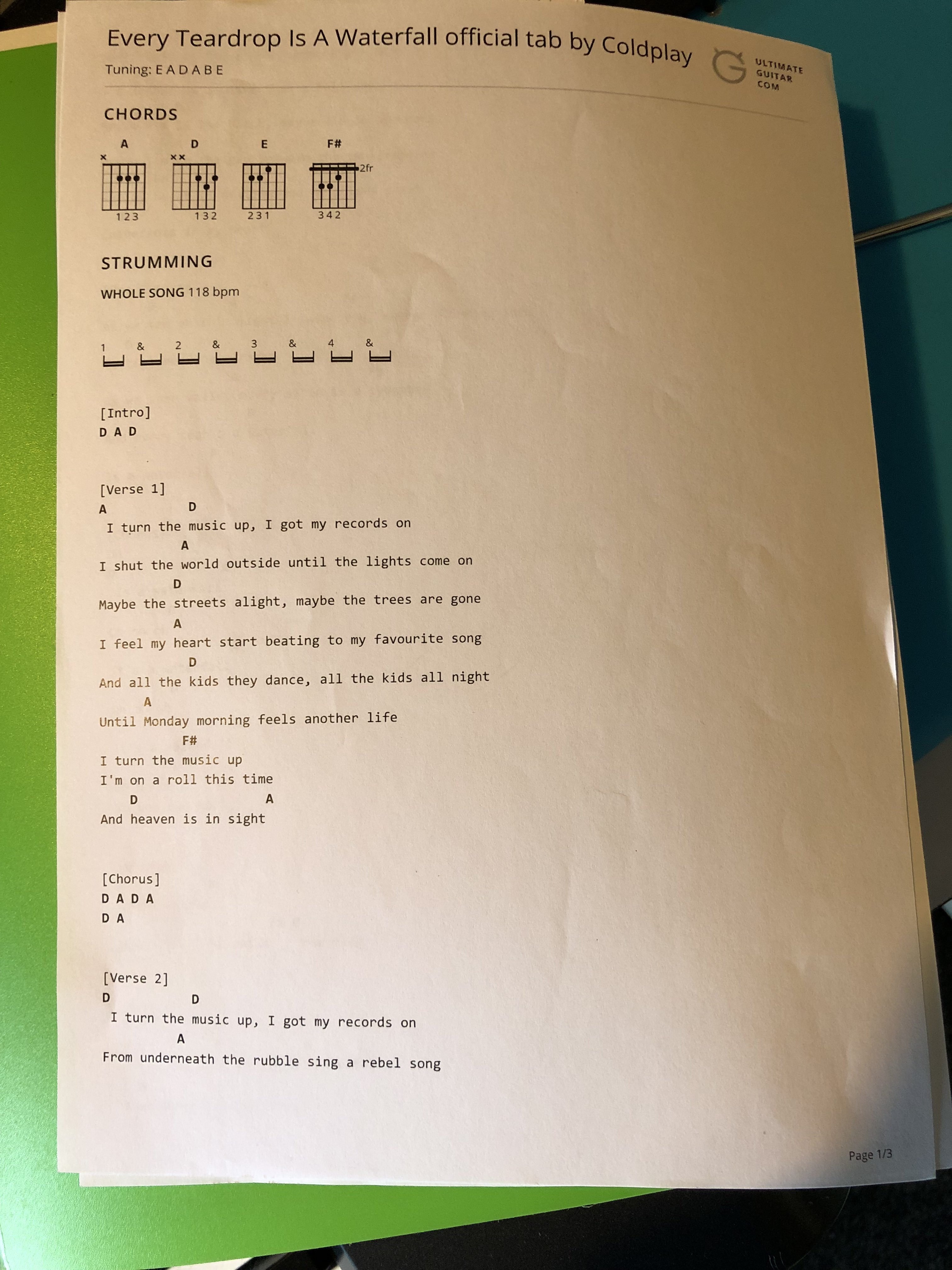
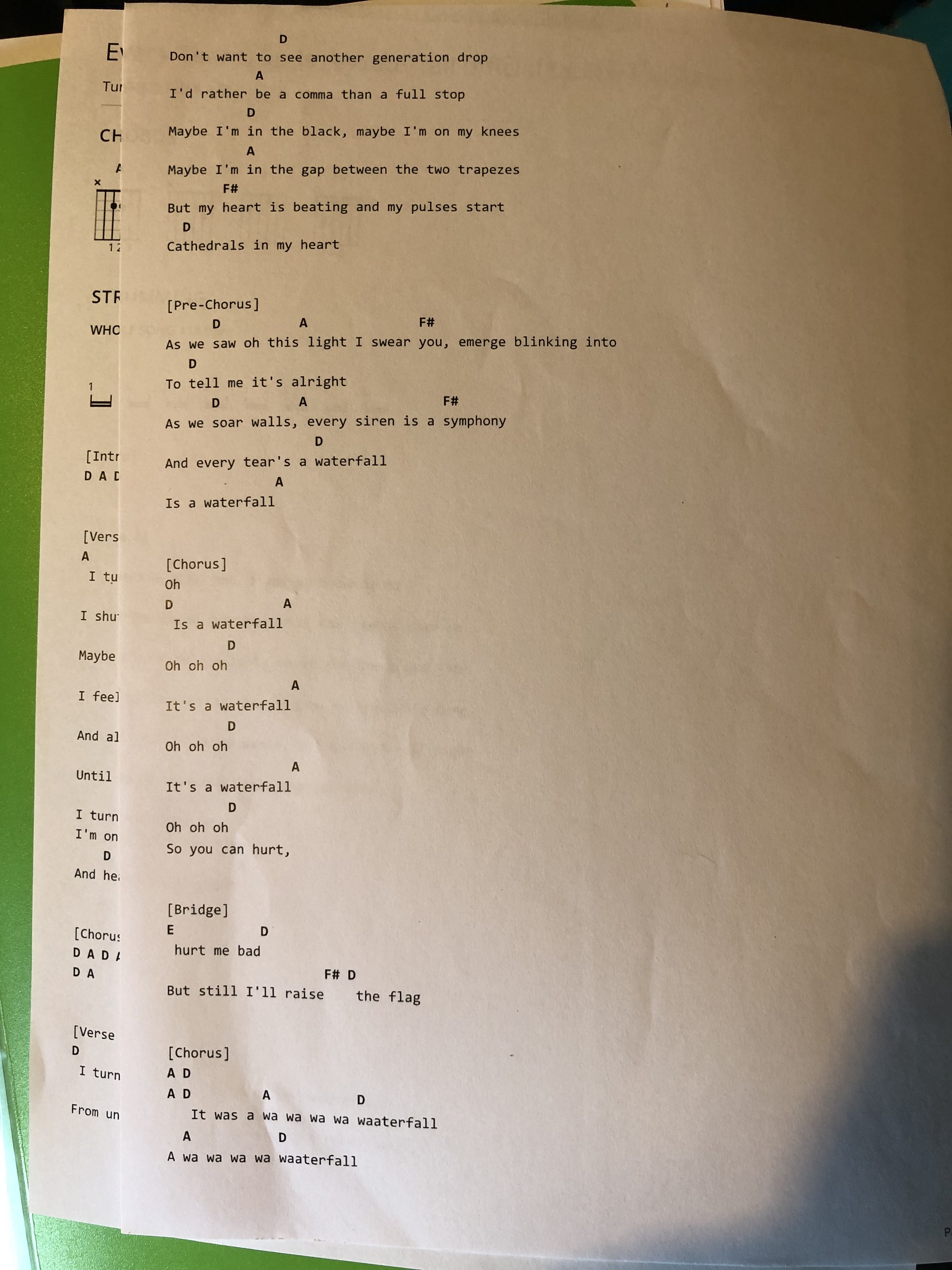
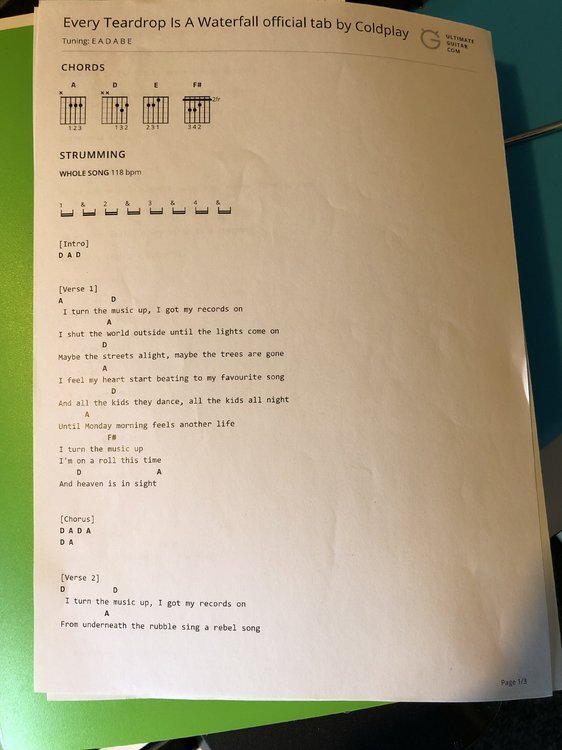
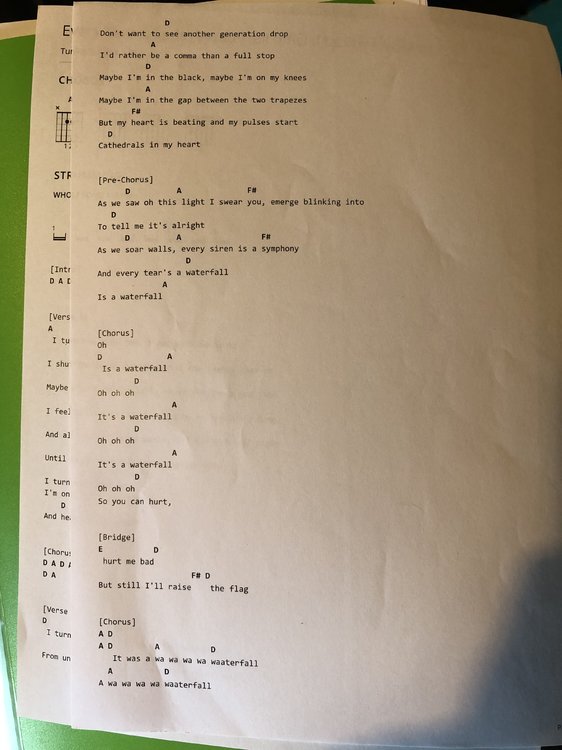
I have taken a photo of my printed out chord sheets for this song
-
I don’t know how much this band I’m about to share has been influenced by Coldplay but the New Zealand band Evermore is SO GOOD! These guys sound like the Coldplay Of NZ. [MEDIA=spotify]path=artist%2F5VWIuZAPbBdtFHdbDyYeHQ[/MEDIA] Mobile Link: https://open.spotify.com/artist/5VWIuZAPbBdtFHdbDyYeHQ?si=MHIgicwdSieTQ1MiCIMsOg I recommend Lights Surrounding You, Runnin’ and Its too late. The song Hey Boys & Girls don’t sound too much like Coldplay but is still pretty cool. Check it out and let me know what you think!
-
D is for Dave Aude Remix of Charlie Brown
-
B for Big Sean on MSS
-
Jess Kent the first one? She was an opening act for Coldplay at our NZ show in December 2016
-
You missed X. X for Xmas Lights :joy:
-
Hello from New Zealand! Welcome aboard the Coldplaying train!
-
U for Us Against the World (Live in Leipzig)
-
S for Science and progress
-
Oceans
-
E for Every Teardrop Is A Waterfall (I hope this isn’t a ship came into harbour type game cause there’s no way I’m scrolling through all the previous rounds to see what’s already been done!)
-
C for Coldplaying.com!
-
A for Amazon Music exclusives
-
T for Thin White Duke Mix Of Viva la Vida
-
R42
-
Panic E.P