AMDB9
Members
-
Joined
-
Last visited
Everything posted by AMDB9
-
They/you spelled "coming" wrong
-
Yeah, I'm not saying it's real, just that you shouldn't always believe rumored videos/pictures.
-
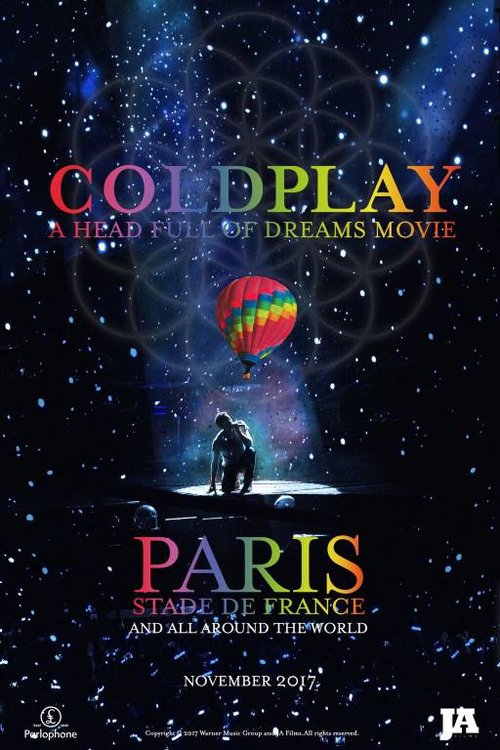
I guess since November is long past that it is safe to post this. Someone sent it in claiming it to be the official promo poster for Live 2017. Looks legit, right? It even has logos and copyright information on it. Moral of the story: don't believe everything you see/hear on the internet.
-
Is it this?
-
I had to Google what mixed conditionals are haha. I use them, but I wouldn't say I use them a lot.
-
-
Just had a fun read through some of the pages of the thread where people were waiting for MX to leak. How I wish I was a fan back then...
-
Brothers and Sisters?
-
Charlie Brown
-
Is it because the lyrics to some AHFOD songs are written in lowercase on Coldplay's webiste?
-
I have a feeling I know what you mean, I just don't have time to go look right now
-
Charlie Brown
-
Incredible!!!!!!!!
-
OP stands for 'Original Poster' and is assigned to the person who started that specific thread.
-
ETIAW
-
-
-
Climbing
-
I'm reading In Cold Blood by Truman Capote. I would highly reccommend it.
-
One of my high-school science teachers really looked like Guy. He even played the guitar.
-
Princess of China talks about two halves of a heart
-
ETIAW
-
Tbh, could be a grocery list. I see some kind of juice. Crest could be toothpaste.
-
Company
-
I guess it's okay as long as it's clear that it is not being conducted by and has no connection to coldplaying.com in case anything bad were to happen.