




Captain Crieff
Moderators
-
Joined
-
Last visited
Everything posted by Captain Crieff
-
I'm so intrigued by how the hell this happened though. Did someone hack a particular hard drive? is the original source of the leak someone involved with the recording/production of the album? How are people getting these files?? (Don't answer that last question lol that would be the exact same mistake I made)
-
Hey no need for this. She's explicitly saying she's very conflicted about this and where does it say she stole the files? The source of the leak is someone else. "If you have something and don't want to share just shut your mouth." believe me it's not that easy. Imagine you have access to all these files but you can't talk about it anywhere, not even on a discussion forum about the band @Saaapho my advice is don't share the files at all. Not the same situation but I once found a leaked song by another band and didn't share the leak itself but ended up giving enough information for people to go and find it themselves (not my smartest move but keeping it all to myself seemed selfish) and it felt... not great. I low key still feel bad about it. You don't want to be responsible for this. And since more people have access, they will leak anyway at some point
-
Sharing links to officially released material is not allowed on this forum, regardless of whether you think the band does or doesn't need the money. It's true they're rich as hell, but this is a fan forum, not a piracy site.
-
do you have a laptop or pc? if yes you can download it from iTunes and then put it on an mp3 player
-
it's available to buy on iTunes if you don't have Apple Music.
-
It's not normal, but unfortunately for the Coldplay store it does seem to be normal... Lots of people are having issues with their orders not arriving, no word on if they're shipped or conflicting and confusing messages from their customer support. It's a mess. You could try contacting the store's customer service but no guarantee that will help. Just know you're not alone
-
Adventure of a Lifetime is a big stadium-friendly single, 90% sure they will play it
-
is this just a spambot answering another spambot's question? amazing
-
Got myself a €30 seat this morning all the way at the back of the stadium hehe
-
sooo many extra dates everywhere omg we're gonna have to make so many extra threads
-
we all got tickets this morning WE CAN'T WAIT
-
I didn't get access to the presale even though I also bought a ticket for one of the shows in 2017 but the awesome @Lodder got me a ticket with his link so see you al there!! let's hope they'll invite Stromae for Arabesque
-
no download links to officially released material please
-
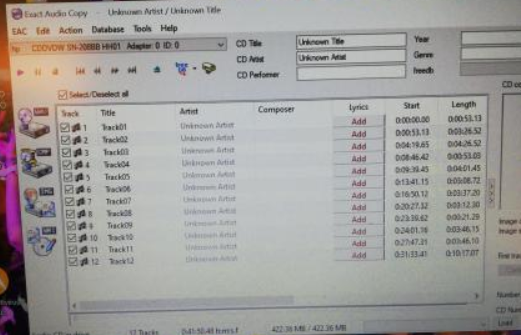
@Coeurli put it in EAC and got this, all looks normal right?
-
Yep, when you make a new thread, you can choose between two tabs: content (for a normal thread) and poll
-
cannot waaaaaait for this one!! Missed out on seeing Coldplay in Paris (my favourite city in the world + excellent crowd guaranteed) during the AHFOD tour and this time we're planning to go with a group of friends I've all met thanks to this band (and some even thanks to this forum!) so the hype is real. I've been to the Stade de France once, but for a football match lol so all I can tell you is it's absolutely enormous so if you want a seating ticket I'd get one on the sides, not "at the back" facing the stage. You can find a map of the stadium online, and Live Nation are hopefully putting one up especially for these shows in the coming days.
-
Information and discussion thread for the show at Rock in Rio!
-
Information and discussion thread for the 1st show in Glasgow! Support: H.E.R.
-
Information and discussion thread for the 3rd show at Wembley! Support: London Grammar
-
Information and discussion thread for the 2nd show at Wembley! Support: H.E.R.
-
Information and discussion thread for the 1st show at Wembley! Support: H.E.R.
-
Information and discussion thread for the 2nd show in Brussels! Support: H.E.R.
-
Information and discussion thread for the 1st show in Brussels! Support: H.E.R.
-
Information and discussion thread for the 2nd show in Paris! Support: H.E.R.
-
Information and discussion thread for the 1st show in Paris! Support: H.E.R.



