The Adversary
Members
-
Joined
-
Last visited
Everything posted by The Adversary
-
I think it's a good thing actually. If they can pull it off right, AHFOD could be the "defining" Coldplay album. Not many bands end on a high note, most just peter out after slowly but surely declining in quality. If Coldplay can pull off another Viva and have a massive world tour after it'd be a great end for both them and us. After all, we'd hate to see them descend into mediocrity.
-
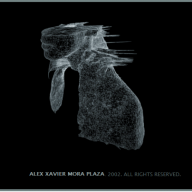
I like the stylistic choice of black for the album cover background. Really seems they've come full circle since Parachutes. If this album is a mixture of all the strong points Coldplay has to offer I think it'll nicely round off their discography (Even if it does have a couple of pop tunes)
-
Roll on December 4th
-
Hurts like Heaven
-
I'm working. You can't turn down triple pay ;)
-
Yeah... but cards are still nice.
-
and listen
-
Noel's guitar
-
Yes!
-
It would be pretty cool if they were influenced by 60's rock in some way ;)
-
That artwork is amazing, I really love it.
-
[video=youtube;umDr0mPuyQc]
-
Yellow?
-
played his
-
-
I love the version of Yellow they played on the Twisted Logic tour with Chris on the electric rather than the acoustic :)
-
Then, Noel
-
Blue Room version. Roadie 42 vs Phil Harvey
-
Tom Chaplin
-
-
Mylo Xyloto
-
-
Charlie Brown
-
I'd seriously LMAO. You come home after a bad day at work. Get really excited at a "New single out now" Coldplay tweet and click the link... Amazing Day. :computer:
-
Chris vocals, although we don't hear near enough of Will's vocals. Baudot code vs Liberty Leading The People